
Imagine a castle fortified by a large moat and soldiers surrounding it to protect the most valuable object in the kingdom – data. To be precise, the data of your customers. There is nothing more critical in your company than customer data, and it must be secured at all costs. If you manage and engage with a customer using SugarCRM, then you must secure it using IP Restriction.
The threat of cyber attacks and malware is rampant in this age and time. It becomes essential to boost your defenses and improve cyber security measures. IP Restriction ensures an additional layer of security and acts as a protective measure or a defensive moat for SugarCRM.
Adding IP restrictions to Sugar user logins will make sure that your employees are accessing Sugar from known locations like corporate or home offices.
If user passwords are ever compromised, attackers that attempt to access Sugar from unauthorized locations will be unable to enter your CRM and exfiltrate your valuable CRM data.
Step up your security in preventing unauthorized access to critical CRM data. Using Nablasol‘s IP Restriction allows you further restrict Sugar user logins based on the IP addresses being used to access Sugar.
Follow These Steps To Secure Your SugarCRM Using IP Restriction
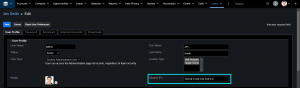
This add-on will allow you to configure the list of allowed IP addresses on an as-per-user basis.
Adds an IP field in the User module where the list of allowed IP addresses can be entered, so that only pre-approved users can access CRM data.
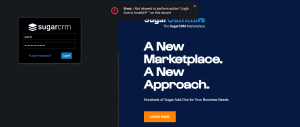
Denies entry to any IP address that is not pre-approved.
Limits and controls access only to trusted users from trusted locations for added security.
Restricts access to SugarCRM from an unknown IP address even if they provide correct credentials.
Avoids data breaches like looting, exfiltration, or leaking of data, even if someone has the correct username and password.
Check out the product here.